Audiograms
without monthly upload minutes
Pay for the audiogram you make, not the minutes you might use. Wavve plans count upload minutes and exported videos each month. WaveVisual is a Wavve alternative where you design an audiogram, add captions, and pay per download, with up to 60 minutes per video.
Start Designing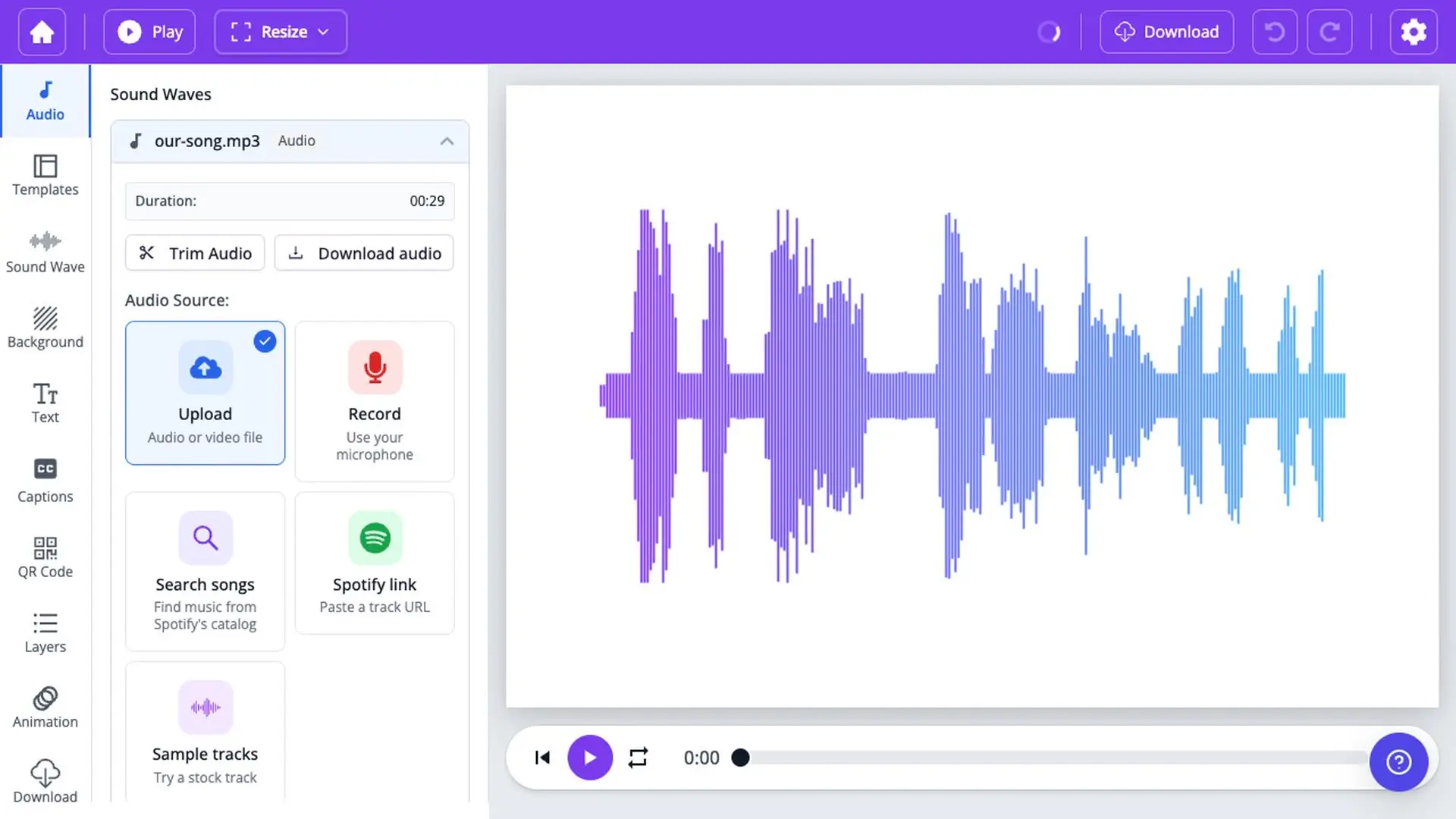

Why people look for a Wavve alternative
Monthly upload minutes
The Wavve Starter plan has 70 upload minutes per month. One 60-minute episode uses 60 of them. WaveVisual does not count upload minutes.
A monthly export count
Wavve Starter allows 18 exported videos per month, Pro 33, and Agency 78. WaveVisual has no monthly count: you pay for each video you download.
A plan for occasional videos
If you make an audiogram only for a guest episode or a launch, a monthly plan also costs money in the months with no video.
You want to design each video
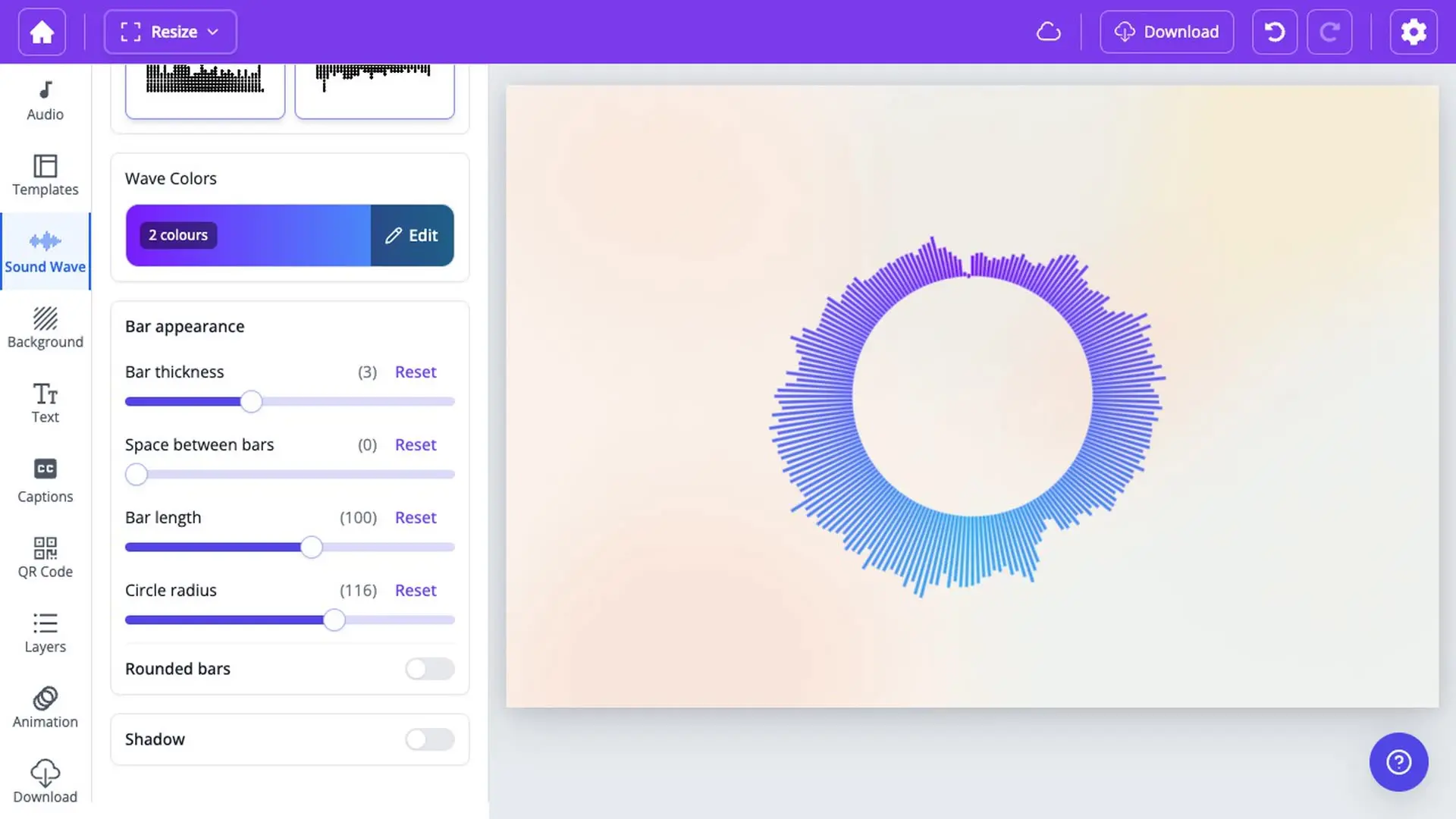
In WaveVisual you set the waveform style, the colours, the fonts, and the images, then watch the whole video before you pay.
WaveVisual and Wavve
Wavve facts are from its public page. Check their site for current terms.
- Audio you can use
- WaveVisualUpload your episode or a clip, or record in the browser. Video needs your own audio file, not a Spotify song.
- Wavve70 upload minutes per month on Starter, 210 on Pro, and 410 on Agency.
- Captions
- WaveVisualAutomatic transcription in the editor. Edit the text and timing of each caption, and the captions export in the video.
- WavveCaptions, plus SRT and transcript downloads.
- Length and limits
- WaveVisualUp to 60 minutes per video.
- Wavve18 exported videos per month on Starter, 33 on Pro, and 78 on Agency.
- AI and publishing
- WaveVisualYou design each video yourself: waveform style, colours, text, and images. WaveVisual does not pick clips with AI or post to social media for you.
- WavveAI hot spot identification, a social media scheduler, auto-resizing, and templates.
- Price
- WaveVisualFree to design. $9.00 per download, or 100 credits for $39 (1 credit = 1 video, credits never expire). The Unlimited plan is $169 a year, billed annually.
- WavveStarter $9.99/month, Pro $24.99/month, Agency $129.99/month.
What audiograms cost
Wavve prices are the monthly prices on its public page. The WaveVisual column shows single downloads, and a credit pack when it costs less.
- 3 audiograms in one month
- WavveStarter for 1 month: $9.99, for up to 18 exported videos.
- WaveVisual3 × $9.00 = $27.00 in single downloads.
- 1 audiogram a month, all year
- WavveStarter for 12 months: $9.99 × 12 = $119.88.
- WaveVisual12 × $9.00 = $108.00 in single downloads. Or $39 for 100 credits, which never expire.
- 4 audiograms a year, in different months, with a plan you keep
- WavveStarter for 12 months: $9.99 × 12 = $119.88.
- WaveVisual4 × $9.00 = $36.00 in single downloads.
- Posts scheduled for you
- WavveA social media scheduler is part of Wavve.
- WaveVisualNot available. You download the video and post it yourself.
Making many? 100 credits cost $39, and 1,000 credits bring a design down to $0.15. 1 credit = 1 design, image or video, and credits never expire. The Unlimited plan is $169 a year, billed annually, or $29 a month.
Wavve or WaveVisual: which fits you
- Pick Wavve
You want AI to find the best moments
Wavve has AI hot spot identification for your episode.
- Pick Wavve
You schedule posts from the same tool
Wavve has a social media scheduler.
- Pick Wavve
You want SRT and transcript files
Wavve offers SRT and transcript downloads. WaveVisual puts the captions in the video.
- Pick WaveVisual
You make audiograms a few times a year
Pay per download in the months you need one, with no plan to cancel.
- Pick WaveVisual
You want the full episode as one video
Upload the episode and export it as one video, up to 60 minutes, with no upload minutes to count.
- Pick WaveVisual
You want to see the video before you pay
Design and preview the whole video for free, then pay for the full-quality download.
Choose Wavve if
- You want AI to find hot spots in your episode.
- You want a social media scheduler in the same tool.
- You want SRT and transcript files to download.
Choose WaveVisual if
- You make a few audiograms and do not want a monthly plan.
- You need one video up to 60 minutes long.
- You want to control the waveform, colours, text, and layout of each video.
- You want to preview the whole video for free before you pay.
How to switch from Wavve
5 steps from your audio to a downloaded file.
Upload the audio
Open the editor and upload the episode or the clip, or record in the browser. Video needs your own audio file, not a Spotify song.
Choose the canvas
Square, vertical, or widescreen, for the platform where you post.
Design the video
Pick a waveform style, set the colours, and add the show name, the episode title, and the cover art.
Add captions
Transcribe the audio in the editor. Edit the text and the timing of each caption.
Preview, then export
Watch the whole video for free. Pay $9.00 and download MP4, GIF, WebM, or MOV with no watermark.
Audiogram tools
Each name links to that tool. Facts are from their public pages.
- Wavve
Audiograms with waveforms, templates, and captions, plus AI hot spots and a social scheduler. Plans from $9.99/month with monthly upload and export limits. Part of Disctopia.
- Headliner
Free plan with 1 unwatermarked audiogram a month. Basic $7.99/month and Pro $19.99/month, billed annually. Auto-creates audiograms for new episodes and posts them to social media and YouTube.
- Recast Studio
An AI video editor for marketing teams: clips, audiograms, captions, show notes, and direct posting to social media. Free trial with 60 credits; paid plans from $14/month.
- Podsqueeze
Transcripts, show notes, and summaries, with clips and audiograms made from episode chapters. Free plan; paid plans from $5.99/month billed annually.
Wavve, Headliner, Recast Studio, and Podsqueeze are trademarks of their owners.
Frequently asked questions
Help articles: audio sources and Spotify · video export (formats and licensing)
Pricing
One-off
Single order
$9.00 / design
- Maximum image quality for printing (300 DPI)
- Link and QR code to your audio and sound wave
- All file formats (PNG, JPG, SVG, PDF, MP4 at 60fps, GIF, WEBM, MOV)
- Commercial license
Best value
Subscription
Unlimited
$29/ month
- Everything included in Single order
- Unlimited* digital orders per month
- Videos with transparent-background overlays
Pay-as-you-go
Credit pack
$39 · 100 credits
$0.39 per design · volume discount
- Everything included in Single order
- Credits never expire
- 1 credit = 1 design
- Volume discount built in
Design the audiogram, then export
Open the editor with your episode file. Full-quality downloads are paid.
Start Designing